
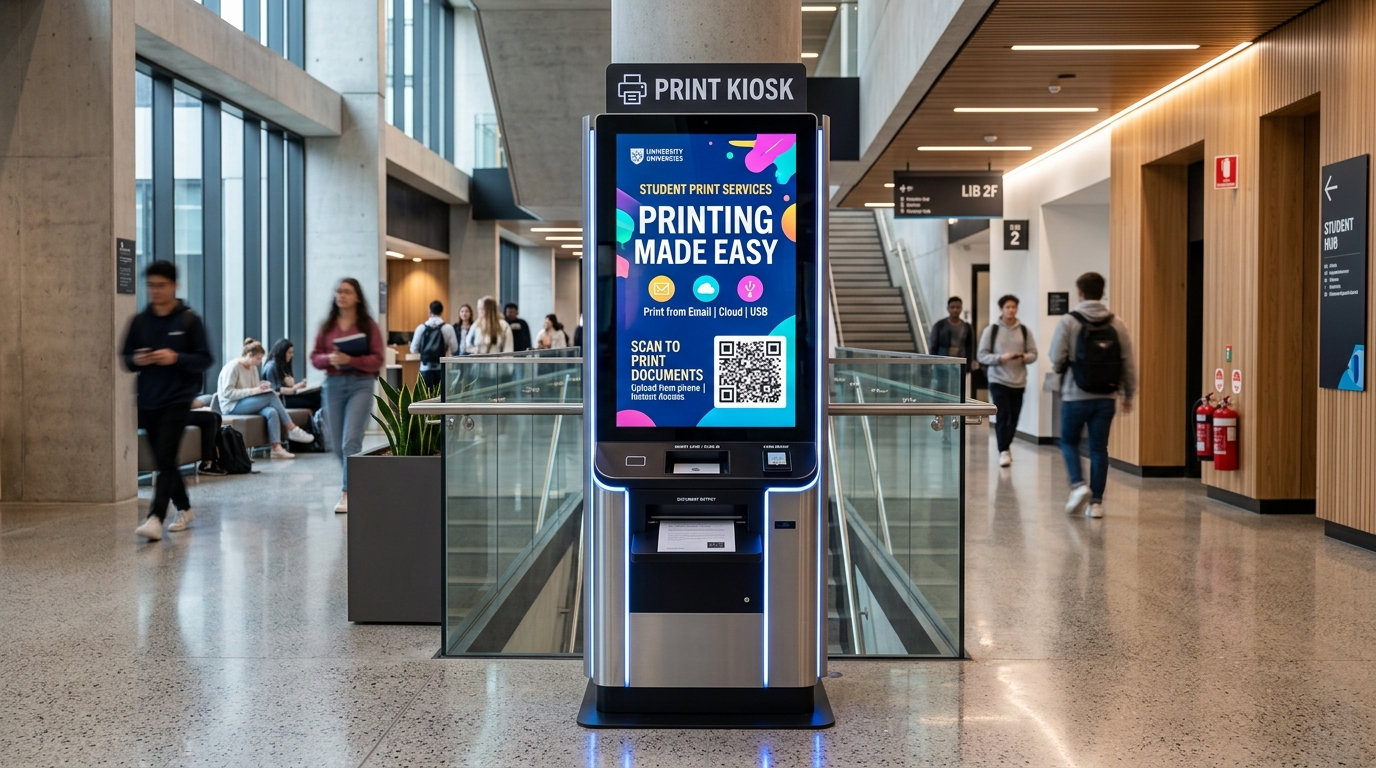
Service Overview
Print. Pay. Done. — The Future of Self-Service Printing
This next-generation automated printing kiosk is currently in active pre-launch. Pre-book your exclusive live demo or early partner onboarding today!
Turn any location into a convenient self-service printing point with our Smart QR-Based Printing Kiosk. Customers simply touch the kiosk screen, scan a dynamic QR code with their mobile phone, upload or capture their documents, select Black & White or Color printing, make a secure online payment, and collect their printed documents in seconds.
How Does It Work?
Our self-service printing kiosk makes document printing simple, fast, and 100% contactless.
1. Touch the Kiosk
A defined advertisement video continuously plays on the kiosk screen. When a customer touches the screen, the ad instantly hides and a dynamic, unique session QR code appears.
2. Scan the QR Code
The customer scans the QR code using their smartphone camera. No app download is required — they are immediately redirected to a secure, mobile-friendly upload portal.
3. Upload or Capture
Customers can upload files (PDF, JPG, JPEG, PNG) or take a live camera snapshot of a physical document. The engine displays live thumbnails and calculates printable pages.
4. Select Printing Type
Choose between Black & White or Color printing. The system automatically computes the total price based on the kiosk's configured per-page tariff.
5. Make Payment
A dynamic payment QR is generated for the exact amount. Supports instant UPI payments via Razorpay & Paytm. The print job is released only upon real-time server verification.
6. Automatic Printing
The secure Print Agent receives the job and dispatches it directly to the local laser/inkjet printer. Upon completion, the kiosk immediately returns to its advertisement playlist.
No App Required for Customers
Your customers never need to download heavy mobile apps or create tedious accounts. They simply:
- Native Camera Capture: Scan physical paper receipts or IDs instantly.
- Multi-Format Engine: PDF, Word converted, JPG, PNG with auto-preview.
- Automatic Page & Margin Counting: Accurate price breakdown per page.
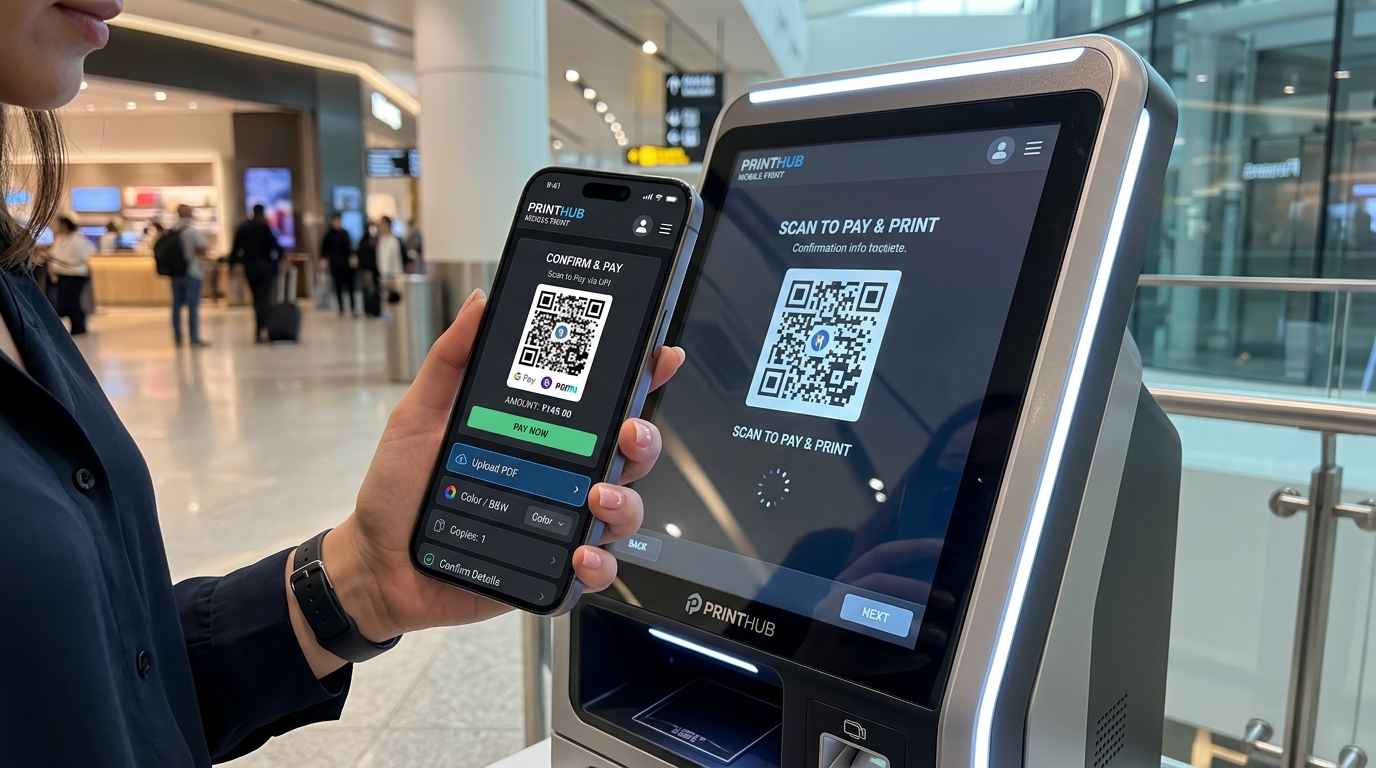
Smart Kiosk + Cloud Technology Ecosystem
A robust, low-latency microservices ecosystem connecting hardware, web clients, and cloud servers.
Powerful Cloud Admin Panel
Manage your entire kiosk network, printers, dynamic pricing, advertisement video loops, and live revenue analytics from one unified web dashboard.
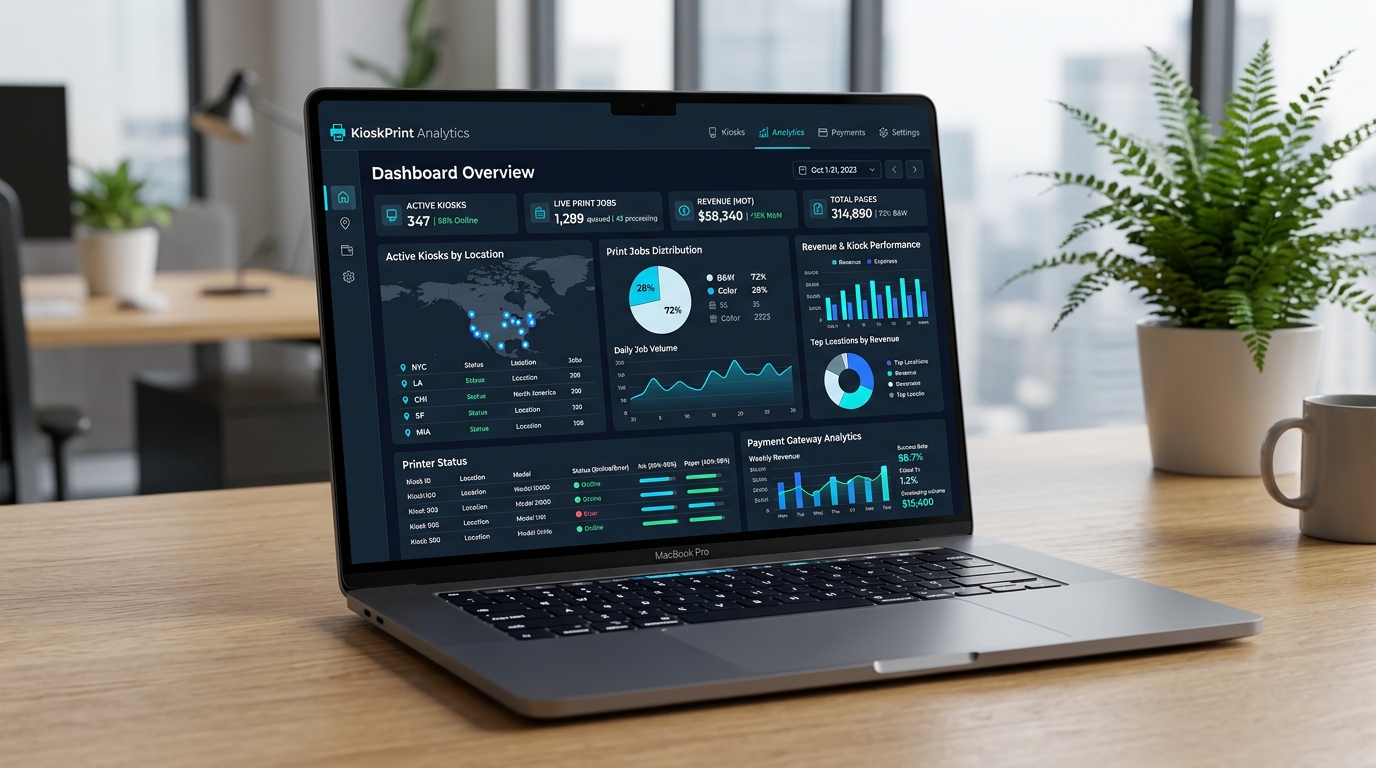
Pricing Management
Configure separate Black & White and Color per-page rates, custom currencies, and multi-kiosk tier pricing.
Kiosk Management
Register hardware IDs, assign branch locations, monitor live online heartbeats, and view active sessions.
Printer & Agent Control
Add and pair printers, execute remote test prints, inspect paper tray & toner status, and monitor print agents.
Payment Gateways
Direct integration with Razorpay, Paytm, and UPI webhooks with instantaneous reconciliation and failure alerts.
Ad Video Playlists
Monetize standby screen time with high-definition MP4 ad video playlists, rotation timers, and campaign scheduling.
Reports & Analytics
Comprehensive analytics: total transactions, daily revenue, B&W vs Color volume, job status logs, and CSV exports.
Built for Android Kiosks (Android 10 to 15)
The native Android kiosk software is engineered to run seamlessly in Dedicated Kiosk Mode, keeping the device locked down and tamper-proof.
Perfect For High-Footfall Environments
Scale your self-service printing business across single or multi-tenant locations with centralized SaaS monitoring.
Shopping Malls
Multi-floor self-service document printing for shoppers and visitors.
Schools & Colleges
24/7 printing for notes, assignments, admit cards & certificates.
Corporate Offices
Secure contactless printing for employees, co-working & visitors.
Airports & Stations
Instant boarding pass, visa & travel document printing for travelers.
Hospitals & Labs
Self-service lab report, prescription & insurance doc printing.
Print & Xerox Shops
Automate standard routine prints to eliminate long queues.
Why Choose a Self-Service Printing Kiosk?
100% private, contactless, and takes under 45 seconds!
Frequently Asked Questions (FAQs)
Do customers need to install an app to use the Smart Printing Kiosk?
No app download is required. Customers simply touch the kiosk screen, scan the dynamic QR code with their smartphone camera, and upload documents directly from their mobile browser on Android or iPhone.
What file formats and capture methods are supported?
Users can upload PDF, JPG, JPEG, and PNG documents or use their smartphone camera to snap a live photo of physical IDs, receipts, or notes with automatic page counting and preview.
How do customers pay for their prints?
The system calculates the exact cost based on page count and Black & White vs. Color selection, then generates a dynamic UPI payment QR code powered by Razorpay or Paytm. Printing starts automatically once payment is verified.
Which printers and kiosk hardware are compatible?
The kiosk app runs in dedicated Kiosk Mode on Android 10 to 15 touchscreens, and our local Print Agent supports standard USB and network Laser or Inkjet printers.
Can the kiosk display advertisements when no one is printing?
Yes. During idle periods, the kiosk continuously plays high-definition promotional MP4 video playlists managed from the centralized Cloud Admin Panel, and switches to the QR screen the instant a user touches it.
🚀 Launch Your Self-Service Printing Kiosk Network
Pre-book a live walkthrough of the Smart QR Printing Kiosk software, Android Kiosk App, Local Print Agent, and Multi-Tenant Cloud Admin Panel.
Key Benefits
Zero App Download Required
Customers complete the entire upload, format selection, and payment process directly within their mobile browser on iOS and Android.
Instant UPI & Gateway Integration
Automated payment verification via Razorpay and Paytm generates custom QR codes with real-time job confirmation.
Centralized Multi-Location SaaS
Monitor kiosks, printers, paper status, transaction logs, and revenue metrics across unlimited branches from a single cloud panel.
Dual-Purpose Ad Monetization
Turn idle kiosk screens into dynamic digital billboards that display high-impact video advertising playlists when not in use.
Document Camera Capture
Built-in smartphone camera scanner allows users to capture physical IDs, receipts, and pages with automatic margin cropping.
Secure Microservices Architecture
Encrypted file transmission with local Print Agent ensures zero file leakage and automatic file purging post-printing.
Key Features & Integration
Capability
Smart QR-Based Mobile Handshake without app download
Capability
Multi-format ingestion: PDF, JPG, JPEG, PNG and camera capture
Capability
Automated page counting and thumbnail previews
Capability
Configurable Black & White vs. Color pricing tariffs
Capability
Integrated Razorpay & Paytm dynamic UPI payment QR
Capability
Local Print Agent with support for all USB & Network Laser/Inkjet printers
Capability
Dedicated Android Kiosk Mode (Android 10 to 15 support)
Capability
Automatic idle standby advertising video loop playback
Capability
Multi-tenant SaaS Admin Panel with role-based branch access
Capability
Live transaction, page-count, and revenue reporting dashboards
Supported Technology Stack
Initiate Consultation & Get a Quote
Speak with our solutions architects today to discuss deployment timelines, direct integration APIs, DLT registrations, or custom design specifications.
Request Free Consultation